The vault even we can't open.

A zero-knowledge password manager written in Rust. Everything you expect from 1Password, with modern cryptography.

The 1boveda web vault: the item list on the left and a login with its username, hidden password and one-time code.

Everything you kept in 1Password, in its place

The pieces you already know, built on a Rust core that runs the same on the desktop, in the browser and in the terminal.

23 item types

Keep personal, family and work apart in vaults. Every item has its own fields, version history and encrypted attachments.

  • Login
  • Password
  • Secure Note
  • Credit Card
  • Identity
  • Bank Account
  • SSH Key
  • API Credential
  • Database
  • Driver License
  • Email Account
  • Membership
  • Outdoor License
  • Passport
  • Reward Program
  • Server
  • Software License
  • Wireless Router
  • Social Security Number
  • Medical Record
  • Crypto Wallet
  • Document
  • Passkey

Passkeys and 2FA codes

Store passkeys and generate one-time codes (TOTP) in the same item. The extension fills them in for you.

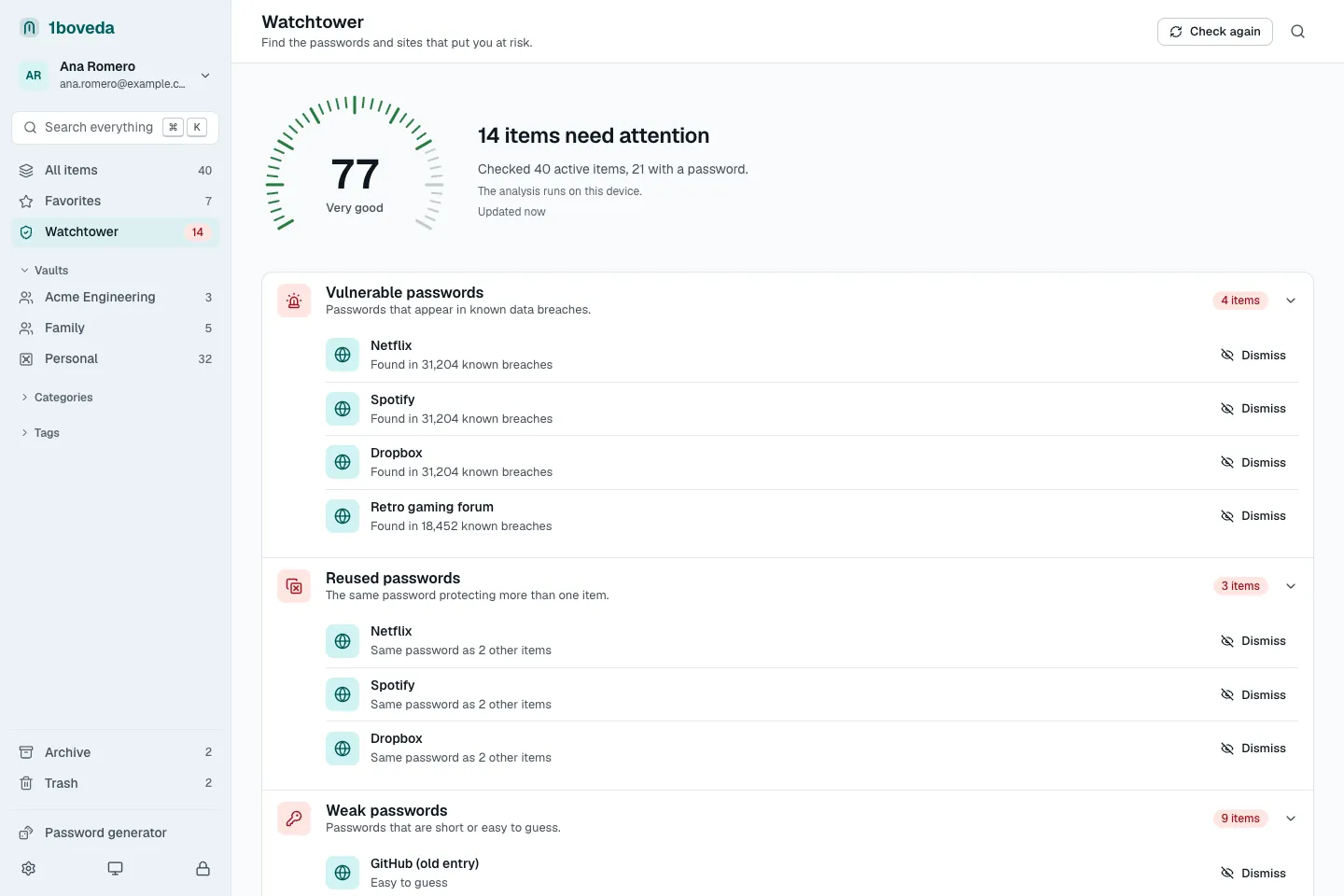
Watchtower

Finds weak, reused and breached passwords, sites without HTTPS, expiring items and accounts that already support 2FA or passkeys. Breaches are checked with k-anonymity: only 5 characters of a hash leave your device.

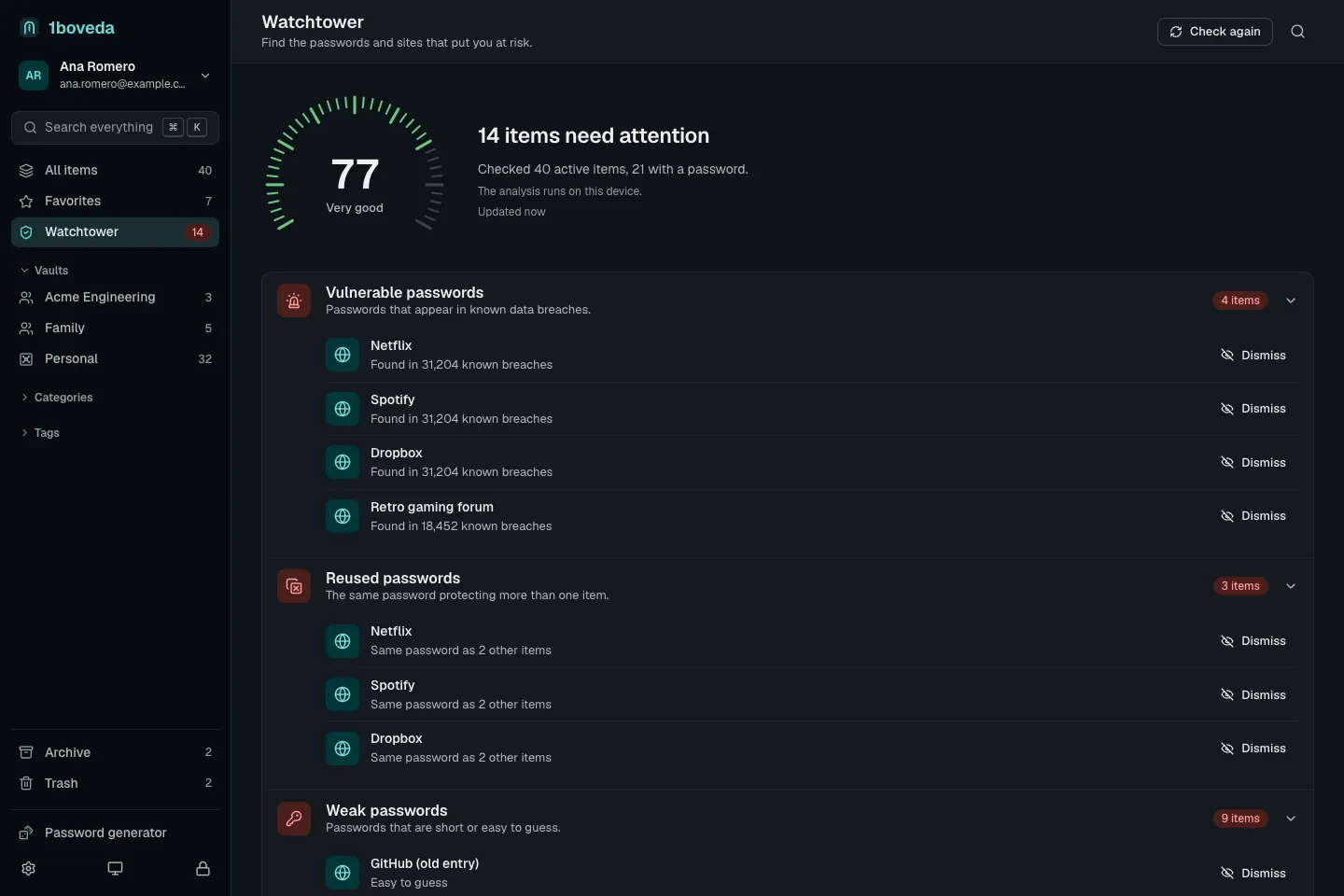
Watchtower with the security score and the list of issues it found.

Autofill in the browser

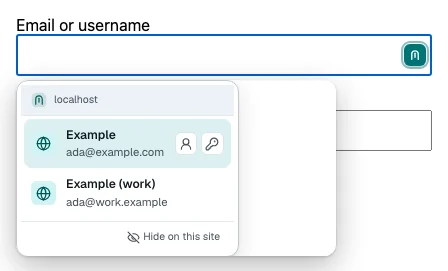
Extension for Chrome, Brave, Edge, Arc and Firefox: detects forms, fills them, saves new logins and generates passwords right on the page.

The extension's autofill menu over a sign-in field.

Share without exposing

Share vaults with people after checking their key fingerprint, or a single item with a link that expires.

Organizations and teams

Members, groups, policies, an activity log and account recovery from the admin console.

Travel Mode

When you cross a border, only the vaults you marked as safe for travel stay on your devices.

Two secrets. Neither leaves your device.

Your password and your Secret Key are combined on your device into the key that opens your vault. The server only stores ciphertext: even if it were stolen, it holds nothing to test passwords against.

Your device

Your passwordonly you know it
Secret Key128 random bits, made on your device
  1. Argon2id + HKDF64 MiB of memory per guess
  2. Unlock keynever sent
  3. Vault keysone per vault
  4. Your itemsXChaCha20-Poly1305

Sync server

Stores

  • Encrypted items
  • SRP-6a verifier
  • Public keys

Never sees

  • Your password
  • Your Secret Key
  • Your keys or your data
128-bit Secret Key
Mixed with your password before the key is derived. A stolen database is useless for guessing weak passwords.
Argon2id
Key derivation that resists GPUs and custom hardware: 64 MiB of memory and 3 passes for every guess.
No password on the wire
SRP-6a with a 4096-bit group: the server checks that you know the key without ever receiving it.
Real key rotation
When someone is removed from a shared vault, its keys are rotated. Whatever is written afterwards stays out of their reach.

Move from 1Password in 3 steps

Vaults, categories, favorites, archived items, attachments, SSH keys, passkeys, password history and tags.

  1. Export your account

    In 1Password, export to 1PUX. Or skip the file: bov migrate 1password copies everything through the official op CLI, with no plaintext left on disk.

  2. Drop the file in

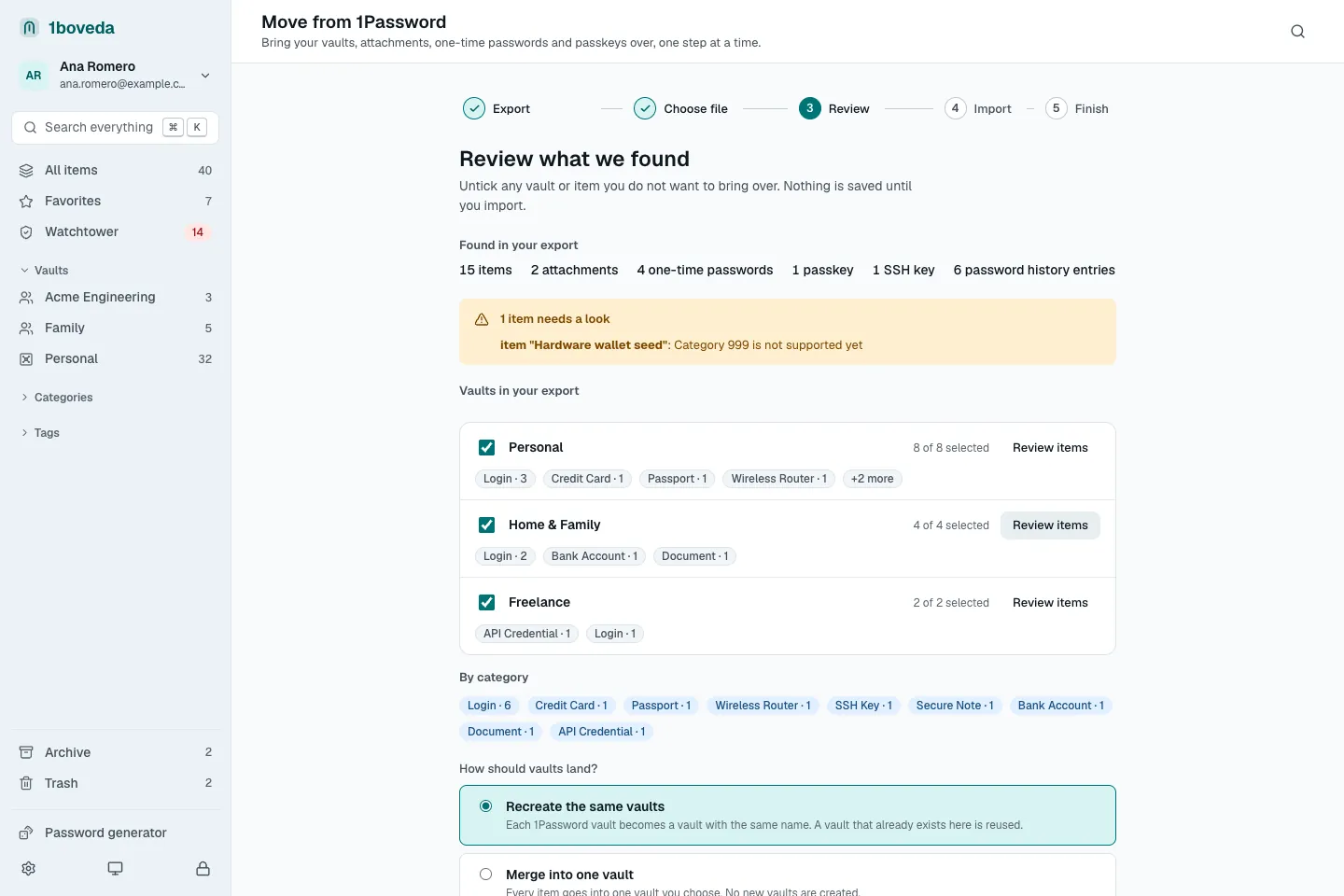
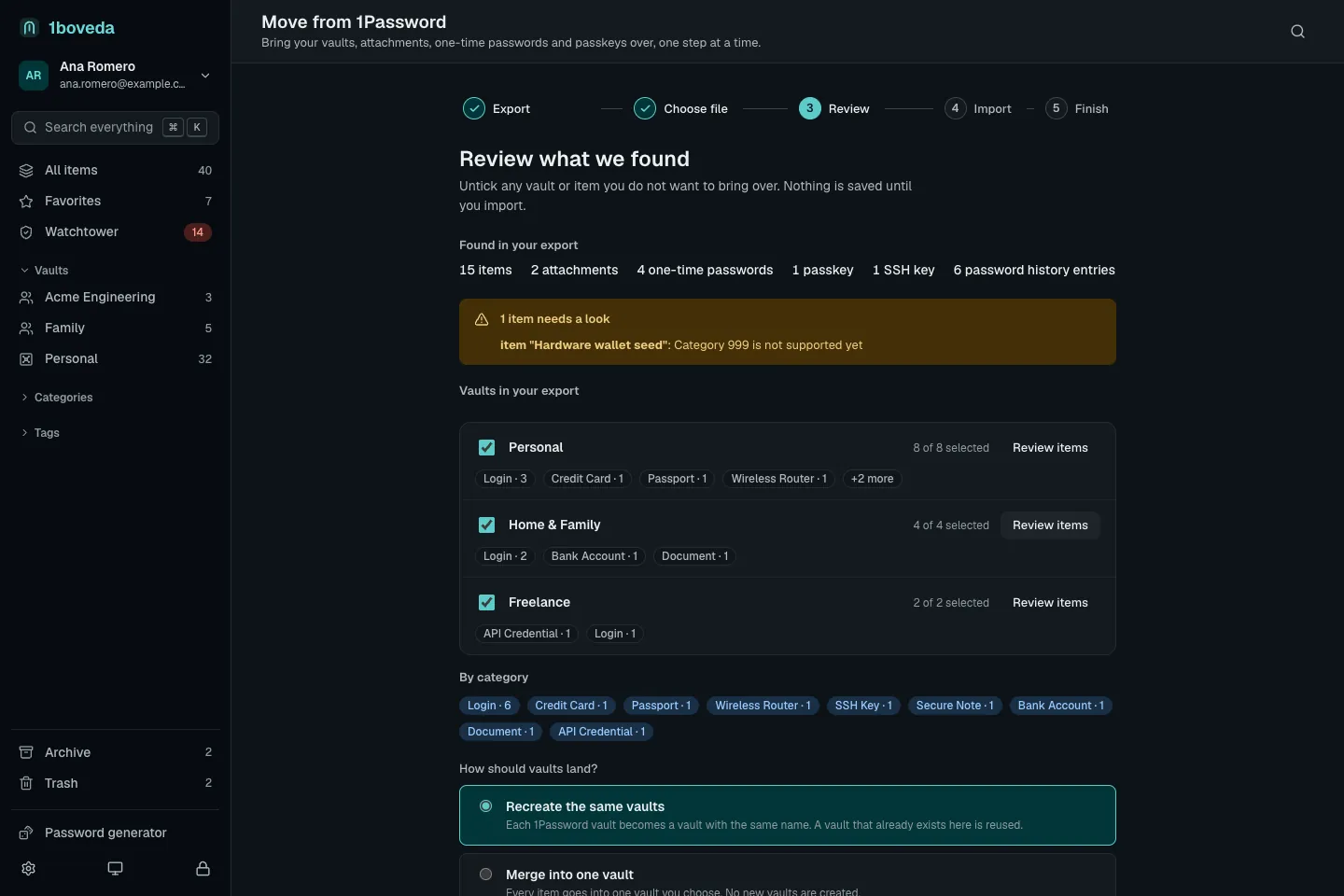
    The “Move from 1Password” wizard shows a preview and a fidelity report per vault and per category before importing.

  3. Delete the export

    We remind you to delete the exported file and run Watchtower on everything you just brought over.

The Move from 1Password wizard previewing what will be imported.

Shared vaults arrive as your own vaults; invite their members again afterwards.

1boveda compared with 1Password

Only differences you can check. 1Password's figures come from its public security white paper.

Security comparison between 1boveda and 1Password
Aspect1boveda1Password
Key derivationArgon2id, 64 MiB of memoryPBKDF2-HMAC-SHA256, 650,000 iterations
128-bit Secret KeyYesYes
Item encryptionXChaCha20-Poly1305 with context bound to each itemAES-256-GCM
AuthenticationSRP-6a, 4096-bit groupSRP, 4096-bit group
Sharing keysX255192048-bit RSA-OAEP
When a member is removedRotates the vault keysDoes not rotate the key; suggests a new vault
Verify the recipient's fingerprintYesNo
Your own sync serverYes, boveda-serverNo

Where you work

Desktop

  • macOSAvailable
  • LinuxAvailable
  • WindowsComing soon

Mobile

  • AndroidAvailable
  • iOSComing soon

Browser

  • Chrome, Brave, Edge, ArcAvailable
  • FirefoxAvailable
  • SafariComing soon

Web and terminal

  • Web vaultAvailable
  • CLI for macOS and LinuxAvailable

Downloads

Files from the latest release published on GitHub. Check each one against SHA256SUMS.

Recommended for your device

…

Looking up the latest release…

Desktop

  • macOS, Apple Silicon
  • macOS, Intel
  • Linux AppImage, x86_64
  • Linux .deb, amd64
  • Linux AppImage, ARM64
  • Linux .deb, arm64

Mobile

  • Android

Browser extensions

  • Chrome, Brave, Edge, Arc
  • Firefox

Command line (bov)

  • macOS, Apple Silicon
  • macOS, Intel
  • Linux x86_64 (static)
  • Linux ARM64 (static)

Verification

  • SHA256SUMS

Coming soon

  • Windows
  • iOS
  • Safari

Meanwhile, use the web vault and the browser extension.

See every release on GitHub

Install instructions

macOS: opening an unsigned app
  1. The app is not signed with an Apple certificate yet, so macOS blocks it the first time.
  2. Open the .dmg and drag 1boveda to Applications.
  3. In Applications, right-click 1boveda, choose Open, then confirm with Open.
  4. If that option is missing: System Settings → Privacy & Security → Open Anyway.
Linux: AppImage or .deb
  1. AppImage: chmod +x 1boveda_*.AppImage and run it.
  2. Debian and Ubuntu: sudo apt install ./1boveda_*.deb.
Android: installing the APK
  1. Download the .apk on your phone.
  2. When you open it, Android asks to allow installing unknown apps for your browser or file manager: allow it for this install only.
  3. Until we publish on Google Play, updates install the same way, by downloading the new APK.
Chrome, Brave, Edge and Arc
  1. Until it is listed on the Chrome Web Store, it installs in developer mode.
  2. Unzip 1boveda-chromium-*.zip into a folder you will keep.
  3. Open chrome://extensions, turn on Developer mode and click Load unpacked.
  4. Pick the folder. To update, replace its contents and click the extension's reload button.
Firefox
  1. Until Mozilla signs the extension, it loads as a temporary add-on and is removed when Firefox closes.
  2. Open about:debugging#/runtime/this-firefox.
  3. Click Load Temporary Add-on and choose the 1boveda-firefox-*.zip file.
CLI: install and verify

Download your platform's archive and SHA256SUMS, verify, then copy the binaries:

V=<version> T=aarch64-apple-darwin
U=https://github.com/Luxora-Agency/1boveda-releases/releases/download/v$V
curl -fsSLO "$U/bov-$V-$T.tar.gz" -fsSLO "$U/SHA256SUMS"
shasum -a 256 -c SHA256SUMS --ignore-missing
tar -xzf "bov-$V-$T.tar.gz"
sudo install -m 0755 "bov-$V-$T"/* /usr/local/bin/

Built for the terminal

The bov CLI talks to a local agent that holds keys only while the vault is unlocked.

A complete CLI
Vaults, items, TOTP, Watchtower, import and export, all with JSON output.
Secret references
Put bov://Prod/db/password in your .env and bov run resolves it when it starts the process.
SSH agent and Git signing
Your SSH keys live in the vault; each use can ask for approval. bov git setup-signing sets up commit signing.
MCP server
bov-mcp lets your AI assistant search items without seeing their values. Every secret asks for your approval.
$ bov unlock
$ bov read bov://Prod/db/password
$ bov run --env-file .env -- npm start
$ export SSH_AUTH_SOCK="$(bov ssh socket)"
$ bov git setup-signing --global
$ bov migrate 1password

Questions

What if I forget my password?

Nobody can decrypt your vault without your password and your Secret Key, us included. Save your Emergency Kit when you create the account. In an organization with recovery turned on, an administrator can help you get back in.

What does the server see?

Ciphertext, your email, dates, sizes, item categories and who you share each vault with. Not passwords, titles or contents. The details are in the threat model of the sync documentation.

Does it work offline?

Yes. Your vault lives encrypted on your device and syncs when there is a connection.

Can I run my own server?

Yes. boveda-server is a standalone binary you can deploy with Docker; the apps, the extension and the CLI take your server's address.

Why does macOS say the app can't be verified?

We don't sign or notarize the app with an Apple certificate yet. You can check the file against SHA256SUMS and open it with right-click → Open the first time.

Do my 1Password passkeys come along?

Yes, the 1PUX import includes passkeys, password history, multiple URLs per item, custom sections and attachments.